
Analytics for your whole workspace
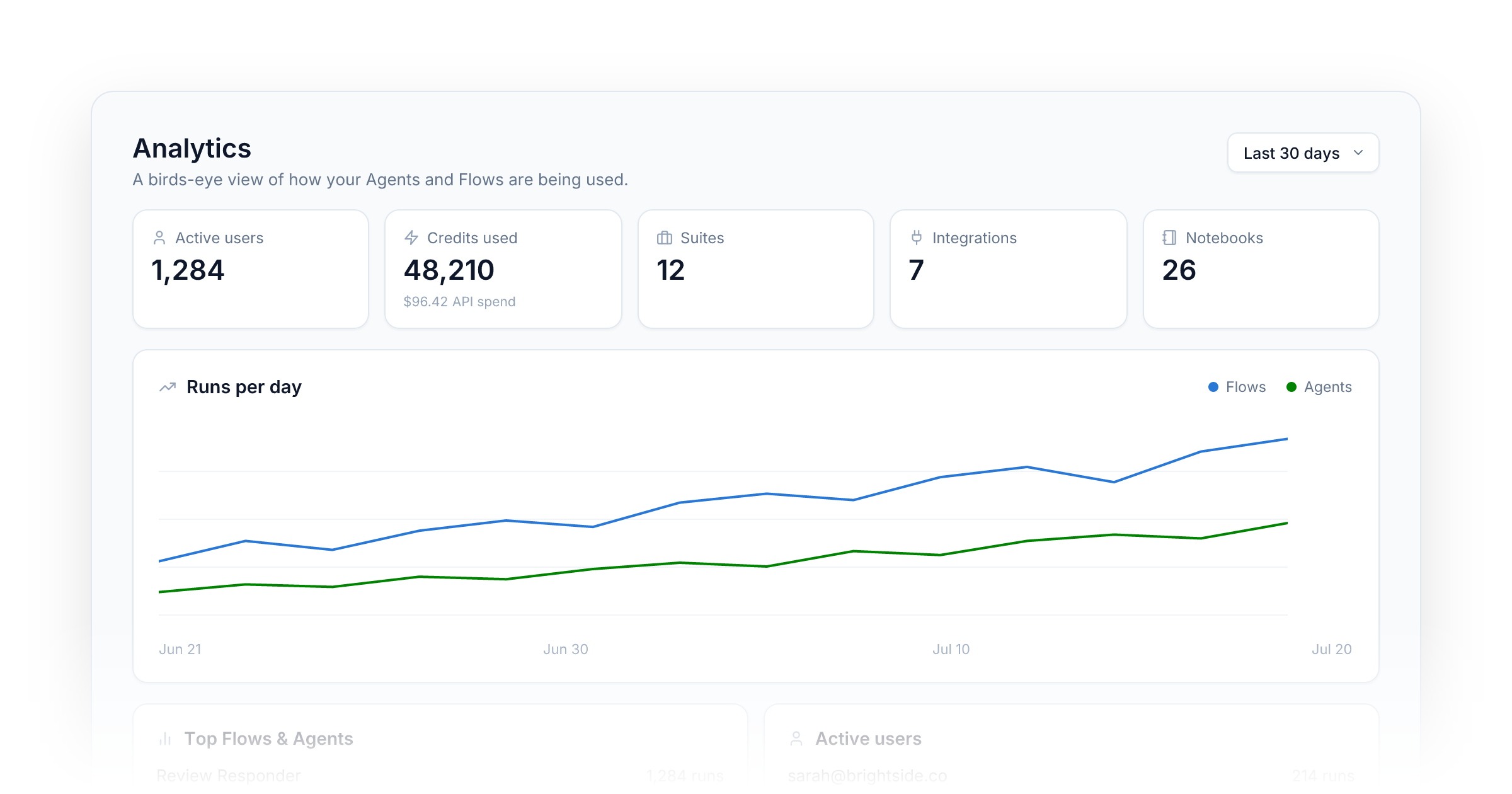
Your workspace now has a proper control center. The new Analytics page gives you a birds-eye view of how your Agents and Flows are being used — and lets you drill all the way down to a single run.
At a glance. Active users (split into authenticated and anonymous), credits used alongside real API spend, and live counts of your Suites, integrations, and notebooks — all scoped to the date range you pick.
Trends over time. A runs-per-day chart tracks Flows and Agents separately, and hovering any day shows what it cost.
Who and what. Your most-used Flows and Agents and your most active users sit side by side, each with its own activity sparkline.
Drill-downs. Click into any Flow, Agent, or user to see their individual runs — and open any conversation to read exactly how it went.
You'll find it in the sidebar under Analytics. It's live for every workspace today.
Fixes
- HighLevel: Restored automatic connection token refresh after a missed production migration window.
- Suites: Fixed Suites failing to load in some workspaces after a recent database change.
Improvements
- Users: Wherever a user appears — run history, analytics, the user directory — their name is now clickable and opens their full profile and activity.
- History: Flow runs now record who ran them, including runs from embeds, so activity shows up under the right user.
- History: The run inspector presents each step's inputs and outputs in a cleaner, structured view.
- Privacy: Prompt internals are no longer written to run logs, and existing logs have been scrubbed.
- Security: Embedded Suites now load only on the domains you've allowed.