
Build a team of Agents that answers as one
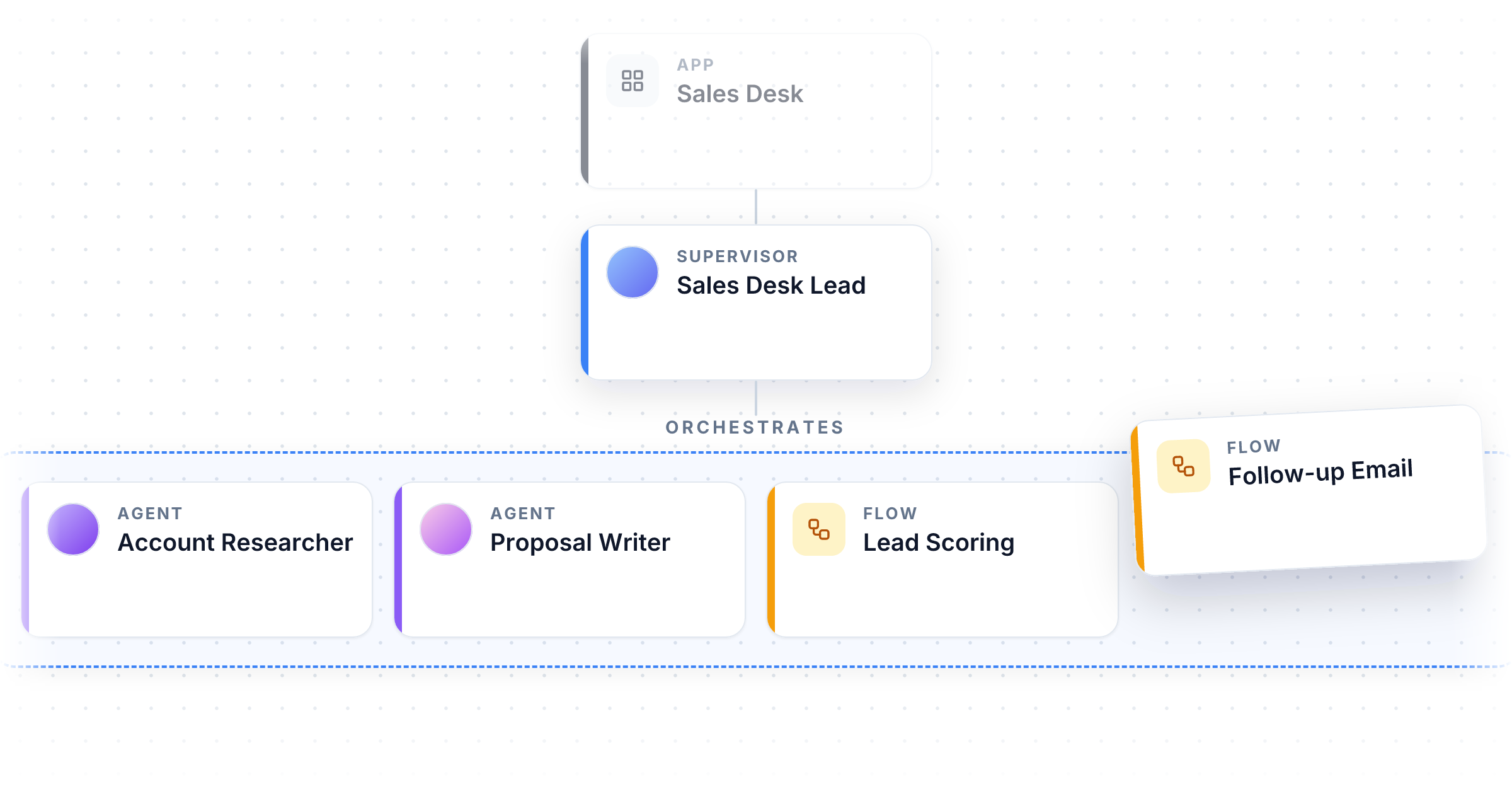
One Agent can only carry so much. Give it every instruction, every document, and every connection your product needs and it starts to lose the thread, forget the rules, and answer slowly. Apps take a different approach. Instead of one Agent that knows everything, you build a team: a Supervisor out front and a group of specialists behind it, each built to do one job well.
A handful of workspaces have been building with Apps since August. Starting today they are on for every workspace, on every plan.
Why a team beats one big Agent
Each member of the team keeps its own instructions, its own model, its own Knowledgebase, and its own connections. A researcher Agent runs on a fast model with web search. A writer Agent runs on a stronger model with your brand voice loaded. A scoring Flow gives the same kind of answer every time. Because each one is small and focused, each one is good at its job, and improving one never disturbs the others.
The Supervisor is an Agent you choose. It reads each request, calls the members it needs, and turns what they send back into one answer. Ask a sales App for a proposal and the Supervisor gets the account background from the researcher, runs the pricing Flow, hands both to the writer, and returns one finished document. The person asking talked to one assistant the whole time.
Agents for judgment, Flows for consistency
The team can mix both. Agents handle the open-ended work: research, drafting, conversation, deciding what matters. Flows handle the work that has to come out the same way every time: scoring a lead against your rubric, filling in a document template, sending the result to another system, collecting the same details from every customer. The Supervisor gives each task to the kind of member that suits it, so the App is flexible where it needs to be and consistent where that matters.
Build it by drag and drop
Open an App and you get a canvas. Drag Agents and Flows from the list on the left into the team, drag an Agent onto the Supervisor slot to change who leads, and reorder members as the product grows. The team is made of your real Agents and Flows, not copies, so when you improve an Agent every App that uses it improves too.
How the Supervisor runs the team is set on the App, not on the Agent. The same Agent can lead two different Apps and behave differently in each. The New App wizard walks you through your first one: pick or create the Supervisor, choose the members, then let AI Generate write the name, description, and goals from the pieces you picked.
Publish a version you can trust
While you are building, the App always uses the latest version of each member. When you publish, the App locks in the published version of the Supervisor and every member as of that moment. Updating a member later never quietly changes an App your users depend on. When you want the App to pick up the newer versions, publish it again. Earlier versions stay in the history, and you can open any of them to see exactly which team it ran.
Put the team everywhere
A published App goes everywhere a Flow goes: share links, embeds on your site, Suites, and Portals, including as the assistant that greets people when they open your Portal. Other software can use it too. Send it a message and get the Supervisor's reply back, or send it a filled-in form and get a filled-in result back in the exact shape you asked for, so your own systems can put the whole team to work in one step.
Watch it work
The editor keeps a live preview chat wired to the real team, so you can test who handles what as you build. Once it is live, the Monitor tab shows the last 30 days at a glance: runs, unique users, completion rate, error rate, and average run time, with every individual run one click away.
Apps are on for every workspace today. Find them in the sidebar under Build.
Improvements
- API: Your published Apps can be listed over the API, along with what each one accepts, so other software can find what it is allowed to call.
- Analytics: Runs now show whether they came from an App, an Agent, or a Flow, with a dedicated view for each App.
- Suites: Cards label uncategorized items by what they are (App, Agent, or Flow) instead of internal names.