
Deep Research, plus slide decks, PDFs, and live pages
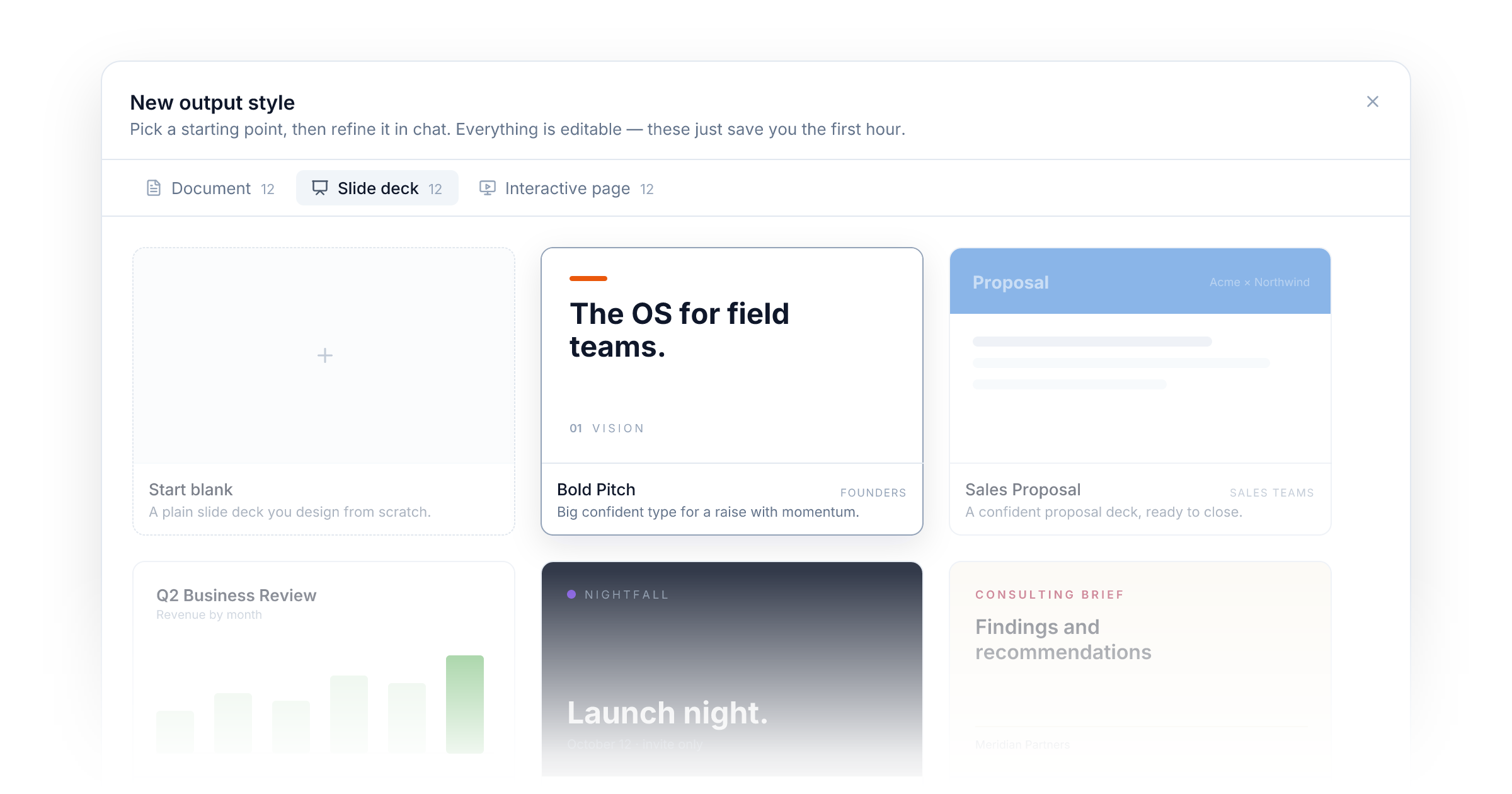
This update ships two large features side by side. Agents can now do real research before they answer, and they can deliver the result as the finished piece — a deck, a document, a live page — in your design.
Deep Research
The single-shot web tools are great for looking something up. Deep Research is for when the question deserves more: a market landscape, a competitor comparison, a due-diligence brief. The Agent plans its queries, searches the web, reads the most promising pages, interrogates its own findings for gaps, and keeps digging until they close. What comes back is a proper research report with numbered citations and a source list — not a paragraph with a couple of links.
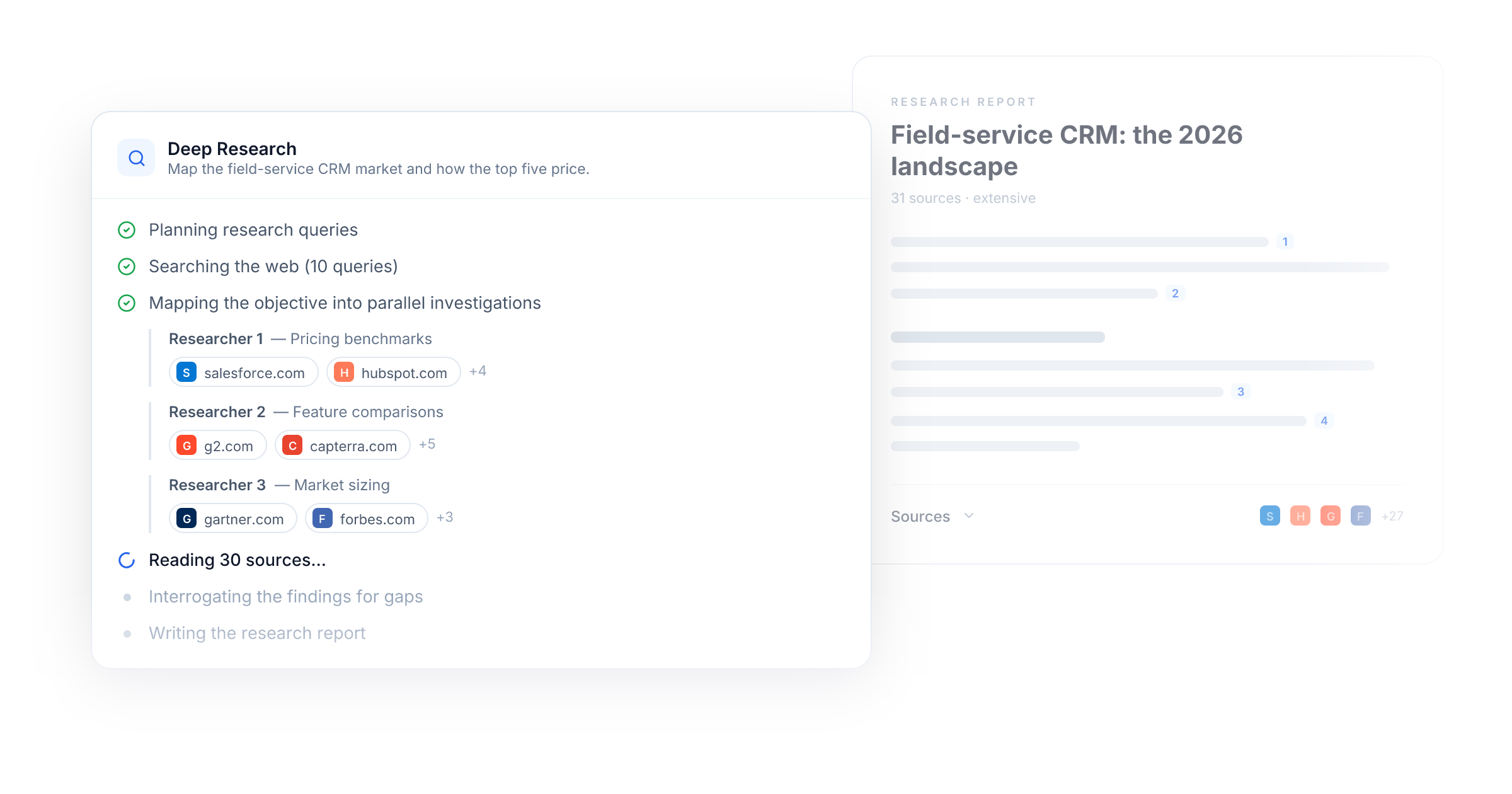
Watch it work. Every run streams its progress live: planning queries, searching, choosing sources, reading them (you'll see the pages as it goes), checking for gaps, writing the report. Nothing happens behind a spinner.
Ask for exhaustive when it matters. A standard run reads around twenty pages in a few minutes. Ask for extensive or exhaustive research and the Agent fans the objective out into parallel researchers, each chasing its own angle — up to ~180 pages in about ten minutes, compiled into a single report.
Cited, and it stays cited. Citations are real links, rendered as clickable markers with a collapsible source list under the answer. And they survive: send the research into a PDF or a document and the citations come along.
Report quality isn't tied to your model. Whatever model your Agent runs on, the final report is written by our strongest model. A fast, cheap Agent still ships a heavyweight research report.
Deep Research is off by default — flip it on per Agent under Built-in tools in the Model tab (or on any Agent node in a Flow). Pricing is a flat 50 credits per run (150 for extensive), no matter how much it reads.
Slide decks, PDFs, and interactive pages
Until now, an Agent's answer was text. Useful, but you still had to take it somewhere else to turn it into the real deliverable. That step is gone. Agents now design and produce the finished piece themselves.
Slide decks. Ask for a pitch, a business review, or a workshop and the Agent designs a full 16:9 deck, real slides with their own layout, typography, and pacing. The preview shows actual pages, and downloading gives you a PDF that is ready to present.
PDF documents. Proposals, reports, invoices, certificates, and single page summaries come out as properly designed, paginated PDFs with real margins and real page breaks, ready to send on.
Interactive pages. Ask for something to use, like a calculator, quiz, dashboard, or microsite, and the Agent builds a live page that runs right in the panel, safely sandboxed.
Unique and consistent, with Output Styles. The same Agent asked twice should not hand you two different designs. Create an Output Style, refine it in chat with a live preview or start from one of the gallery templates, and attach it to your Agents. From then on the design is locked: the Agent writes only the content, and every deck, document, and page lands in exactly your look.
Edits included. Like anything an Agent makes, just ask for changes and the preview and the download update together.
The two features compound: ask for a competitive analysis and the Agent researches it with Deep Research, then hands you the deck — in your Output Style, citations intact. All of this works everywhere your Agents run today, including published Agents your end users chat with. Output Styles are rolling out in beta, so look for them in the sidebar next to your Agents and Flows.
Improvements
- Output Styles: You can now comment directly on a style preview. Hit Comment, click anywhere on the design (or drag a box on a PDF) to drop numbered pins, and they attach to your next message as plain review notes the designer follows.
- Agents: The static "Thinking…" spinner is gone. Agents now show a live activity trail while they work — each search, page read, document write, and integration call appears as its own step, with the pages being read shown inline. The finished trail stays on the message, collapsed, so you can always see how an answer was made.
New integrations41
Saperly
Microsoft To Do
GoCardless MCP
Mindbody
LINE
Cloro
Mintlify
ActiveMerge
Artificial Analysis
Upload-Post
Android Texter
NotebookLM
Airparser
Airtop
Aiwyn Tax MCP
Eranol
ONLYOFFICE DocSpace
OpenRegister
Pinterest Ads
Bouncify
Noloco
PopHIVE MCP
Pushinator
AWS Marketplace MCP
Clarity AI MCP
Drop to CDN
Malwarebytes MCP
Readwise Reader
AllTrails MCP
Excalidraw MCP
Google Data Studio
Granted MCP
MoSPI MCP
Dice MCP
Taskrabbit MCP
Trivago MCP
GoDaddy MCP
SlidesGPT MCP
Viator MCP
Mermaid Chart MCP
ZipRecruiter MCP