
Import your Formwise Classic tools as Flows
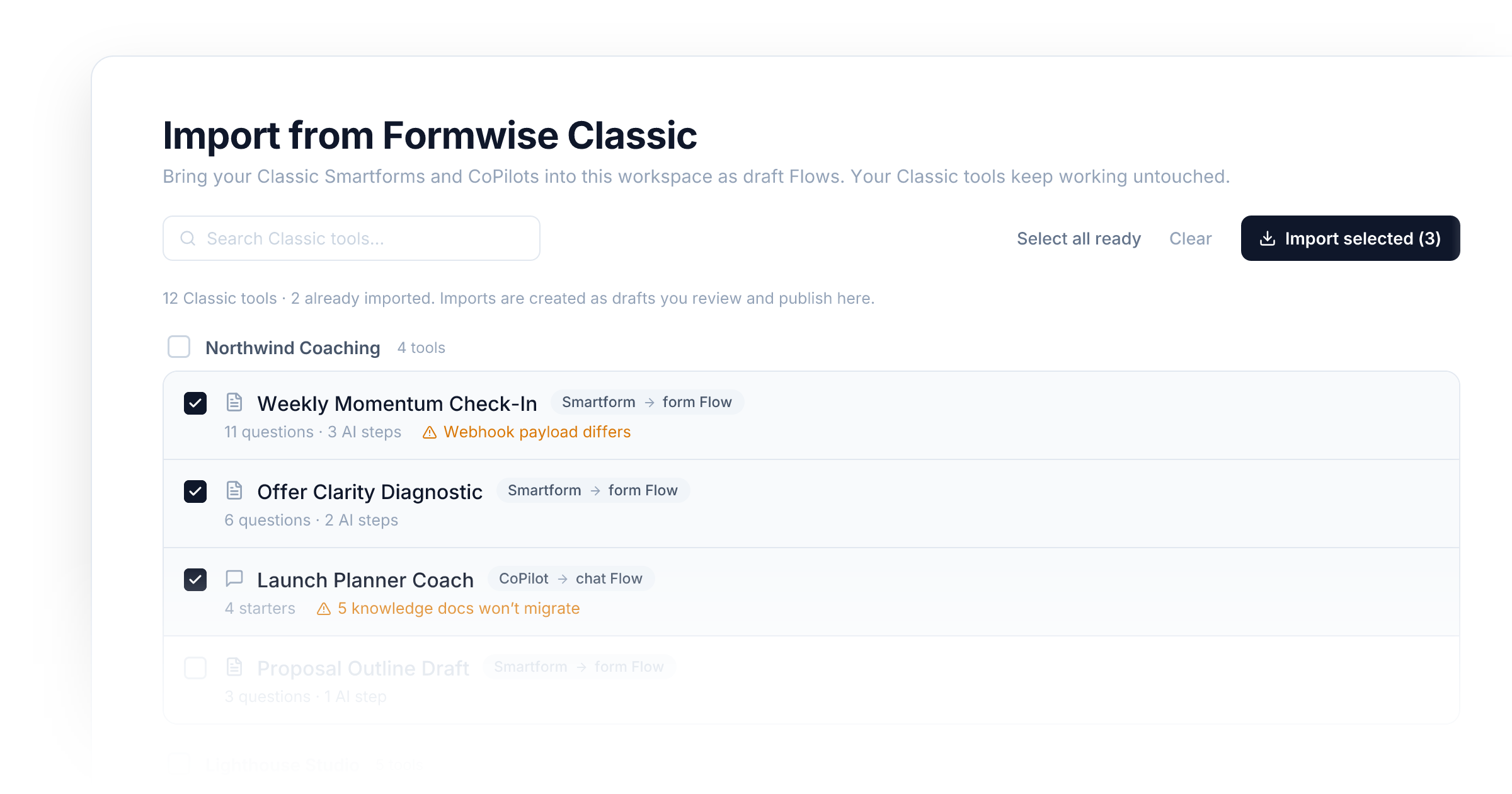
If you built tools in Formwise Classic, you no longer have to rebuild them here by hand. Click New on your Flows page and pick Import from Formwise Classic at the bottom of the picker. You'll see every Smartform and CoPilot on your Classic account, grouped by workspace, with a note on anything that needs attention. Tick the ones you want and import.
What comes across
- Smartforms become form Flows. Every question keeps its label,
description, type, options, and required flag. Each prompt step becomes an
Agent step in the same order, keeping its name, prompt, model, and
visibility. References between steps (the
@Step_2style tokens) and references to answers are rewritten to the matching Flow variables, so chained prompts keep working. - CoPilots become chat Flows. The system prompt, model, web browsing and scraping settings, conversation starters, and input placeholder all carry over.
- Webhook forwarding turns into a Send Webhook step pointed at the same URL.
- Your chat disclaimer is kept when you had customised it.
What to check afterwards
Imports are created as drafts. Nothing is published until you open the Flow, review it, and publish it yourself.
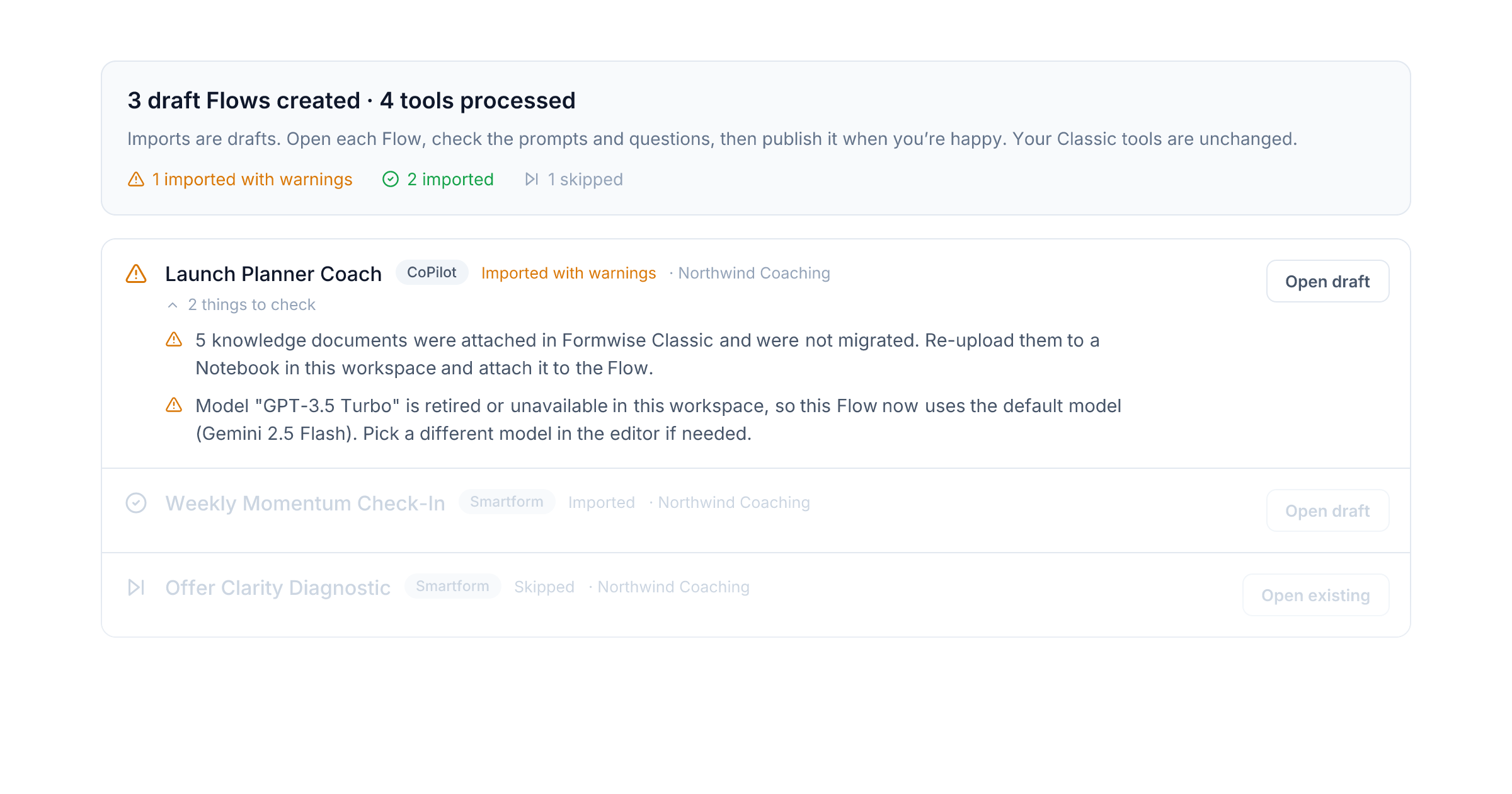
The report you see after importing lists, per tool, anything worth a look:
- Knowledge documents are not migrated. Re-upload them to a Notebook and attach it to the Flow.
- A retired model (GPT-3.5 for example) is swapped for the workspace default.
- Webhook receivers get a different payload shape from V2, so remap the fields in Make, Zapier, or wherever the hook lands.
Your Classic tools are not touched. They keep running exactly as before, and importing the same tool again updates the draft instead of creating a second copy.
Improvements
- Flows: The New picker offers Import from Formwise Classic to accounts linked to a Classic login.
- Flows: Re-importing a Classic tool updates the existing draft rather than duplicating it.
New integrations89
Atlassian MCP
Longbridge MCP
Vantage MCP
Grafana Cloud MCP
Close MCP
Domotz MCP
AirOps MCP
Statsig MCP
Peec AI MCP
Linear MCP
Ticket Tailor MCP
CoinGecko
ClickUp MCP
Era Context MCP
Todoist MCP
Clarify MCP
GitHub MCP
Eraser MCP
Notion MCP
Nylas MCP
Calendly MCP
Lucid MCP
Carbon Voice MCP
Kernel MCP
Magic Patterns MCP
QuickNode MCP
Contentsquare MCP
Stytch MCP
Audioscrape MCP
Fellow.ai MCP
Particl MCP
Bigdata.com MCP
Clay MCP
Geekflare
Honcho
Olostep
Resource Planner
Descript MCP
Semrush MCP
Vibe Prospecting MCP
Simplescraper MCP
Adobe Marketing Agent MCP
Explorium MCP
Circleback MCP
Retable
Agile CRM
ChartMogul
Explorium
- and 41 more