
Have Claude or ChatGPT build your Agents for you
You no longer have to learn the builder before you can ship an Agent. Describe your business to the assistant you already use, and it does the building for you. The FormWise MCP connects Claude, ChatGPT, Claude Code, VS Code, and Cursor to your workspace, so your assistant can create, test, publish, and run your Agents, Flows, and Apps while you stay in the conversation.
Describe it and it gets built
Tell your assistant what you do and what you want the Agent to handle. It reads your site, asks the questions it needs answered, starts from the closest template, and writes the instructions, picks the model, and adds conversation starters. It can build a Flow step by step, with its questions and how the steps connect, and assemble an App where several Agents work together.
It works from what you know
An Agent is only as good as what it has to read. Your assistant creates a Knowledgebase from your pages, pasted text, and notes, organizes it into pages and folders, and attaches it to the Agent. Before anyone asks a real question, it can check what the Agent would find for that question, so gaps show up while you are still building.
Tested before your users see it
Your assistant runs real questions against the draft, reads the answers, and fixes the weak ones. It can save those questions as test cases and run them again after every change, so an improvement in one place does not quietly break another.
Nothing goes live until you approve
Every change lands in a draft. When the Agent is ready, your assistant shows you what publishing will change and waits for your answer. Once you agree, it publishes and hands back the public link and the embed code for your site. Earlier versions are kept, so you can roll back.
Run what you've published from the same chat
Published Agents, Flows, and Apps can be run from your assistant too. A Flow's questions become inputs the assistant fills in for you, and a conversation with an Agent picks up where it left off on your next request.
Connect in a minute
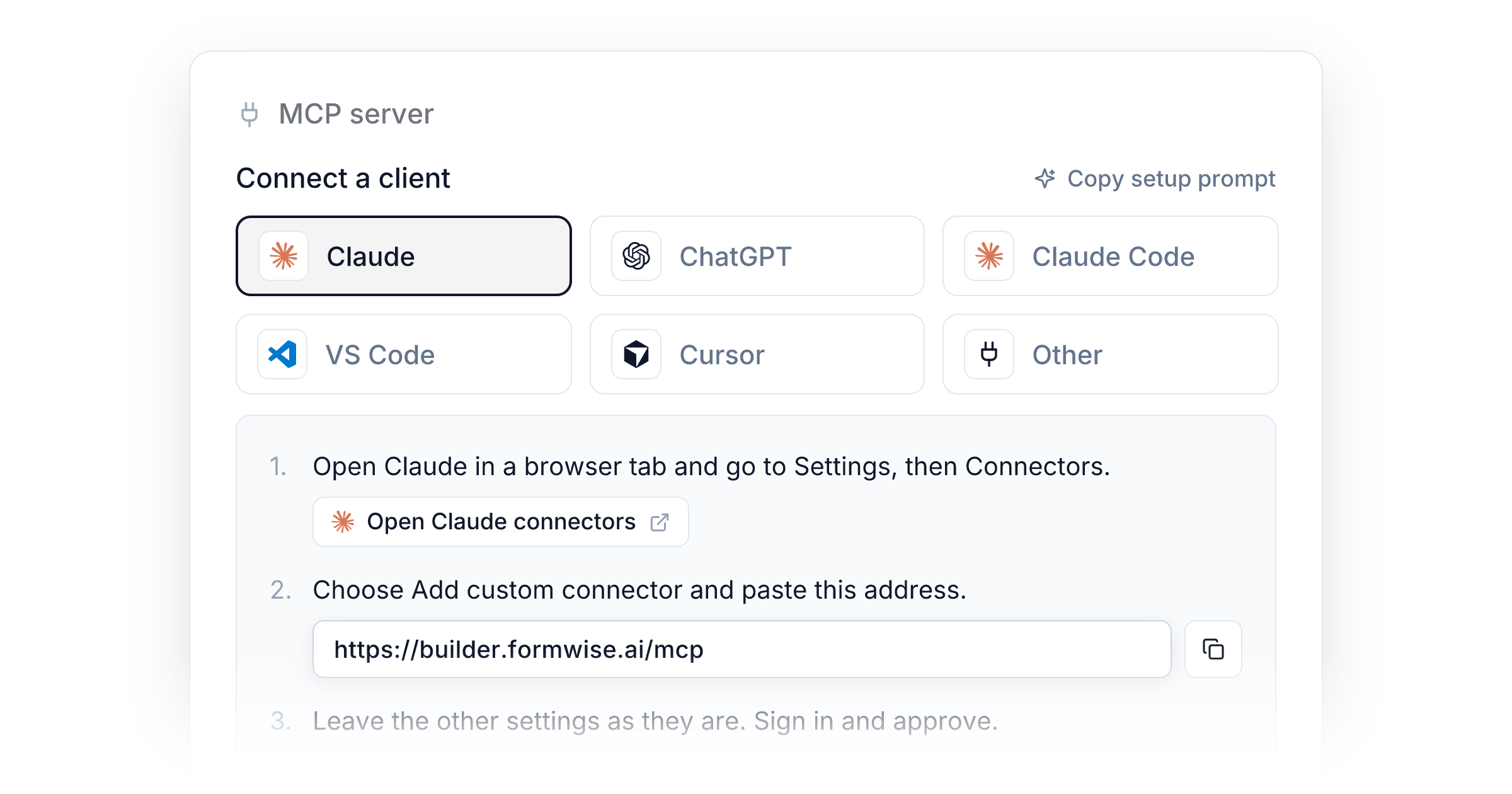
There is one address for every workspace:
https://builder.formwise.ai/mcp
Claude, ChatGPT, Claude Code, and VS Code sign in through your browser, so there is no key to copy. Cursor uses a personal key. Open Settings > API and find MCP server, pick your assistant, and follow its steps. Or choose Copy setup prompt, paste it into your assistant, and let it walk you through the setup one step at a time.
A connection acts as you. It follows your role in the workspace, it stops working if you leave, and you can disconnect any app under Connected apps on the same card.
Plans and credits
The MCP is included on Creator, Pro, Agency. Building, editing, and publishing do not use credits. Runs and document searches use your workspace credits, the same as they do in the builder.
On a free trial you can build, add knowledge, and publish. Running Agents and Flows from your assistant starts after your first payment. Until then, test in the builder.
Some things stay in the builder: Portal setup, branding, custom domains, Plans, Storefronts, and billing. Your assistant also cannot delete a Knowledgebase or a page.
Read the setup guide for each assistant's steps, or see the overview.
Improvements
- Portals: Your own customers can connect their assistant to a Portal and use what their Plan includes, under your brand and on your custom domain. It is off until you turn on Allow MCP connections for the Portal and Include MCP access on a Plan. Available on Pro and Agency.
- Connections: Limit a connection to the kinds of work it needs, such as running only or Knowledgebases only, so the assistant picks the right action more often. A personal key can also be limited to specific Knowledgebases.
- Knowledgebases: Review what a connected assistant writes before your Agents rely on it. When page reviews are on, its notes wait in Page reviews for your approval.
- Activity: Every change a connected assistant makes to an Agent, Flow, or App is recorded in Monitor, with who made it.
- API: Run Agents and Flows, and search, read, and add to Knowledgebases over the REST API. Available on Pro and Agency.