Give contractors the right tools, only for as long as they need them
Every fall, Copperleaf HR brings in six contractors for open-enrollment season. They draft benefits notices and answer employee questions for Copperleaf's clients. They need Policy Writer and a benefits FAQ agent. They shouldn't see Client Prep or the client files behind it. And on December 15th, their access should end without anyone needing to remember to turn it off.
Copperleaf used to handle this with shared logins and a reminder on someone's calendar. Now contractors get their own group with an end date built in.
This guide builds on Give your team its own AI toolkit.
What's different about contractors
| Your team | Contractors | |
|---|---|---|
| Which agents | Everything they need | A smaller set |
| What they know | All internal knowledge | Only what's safe to share |
| Budget | Team allowance | A separate, smaller allowance |
| How long | Until they leave | Until a set date |
Every row in that table is a setting, so you configure it once and nobody has to remember it later.
1. Create a Contractors group
Under Assign › Groups & Policies, click New group and name it "Contractors". Add each contractor by email with Add user, tick the group, and send the invite.
Contractors are users, not team members. They never see your workspace, your drafts or your settings.
2. Give them their own budget
Create a second policy, like "Contractor allowance", with a smaller monthly allowance, and set it on the Contractors group. Contractor usage stays within its own limit and shows up separately from your team's.
3. Give them the right knowledge, not all of it
Access is set per agent, and each agent reads its own knowledgebases. So control what contractors can see by choosing which agents they get.
Copperleaf's benefits FAQ agent reads one knowledgebase: plan summaries and the open-enrollment FAQ. Client intake files are in a separate knowledgebase, attached only to Client Prep, which contractors can't use.
If contractors need a version of an internal agent, duplicate it and attach only the knowledgebases they should see. Your team keeps the full version.
4. Assign the agents with an end date
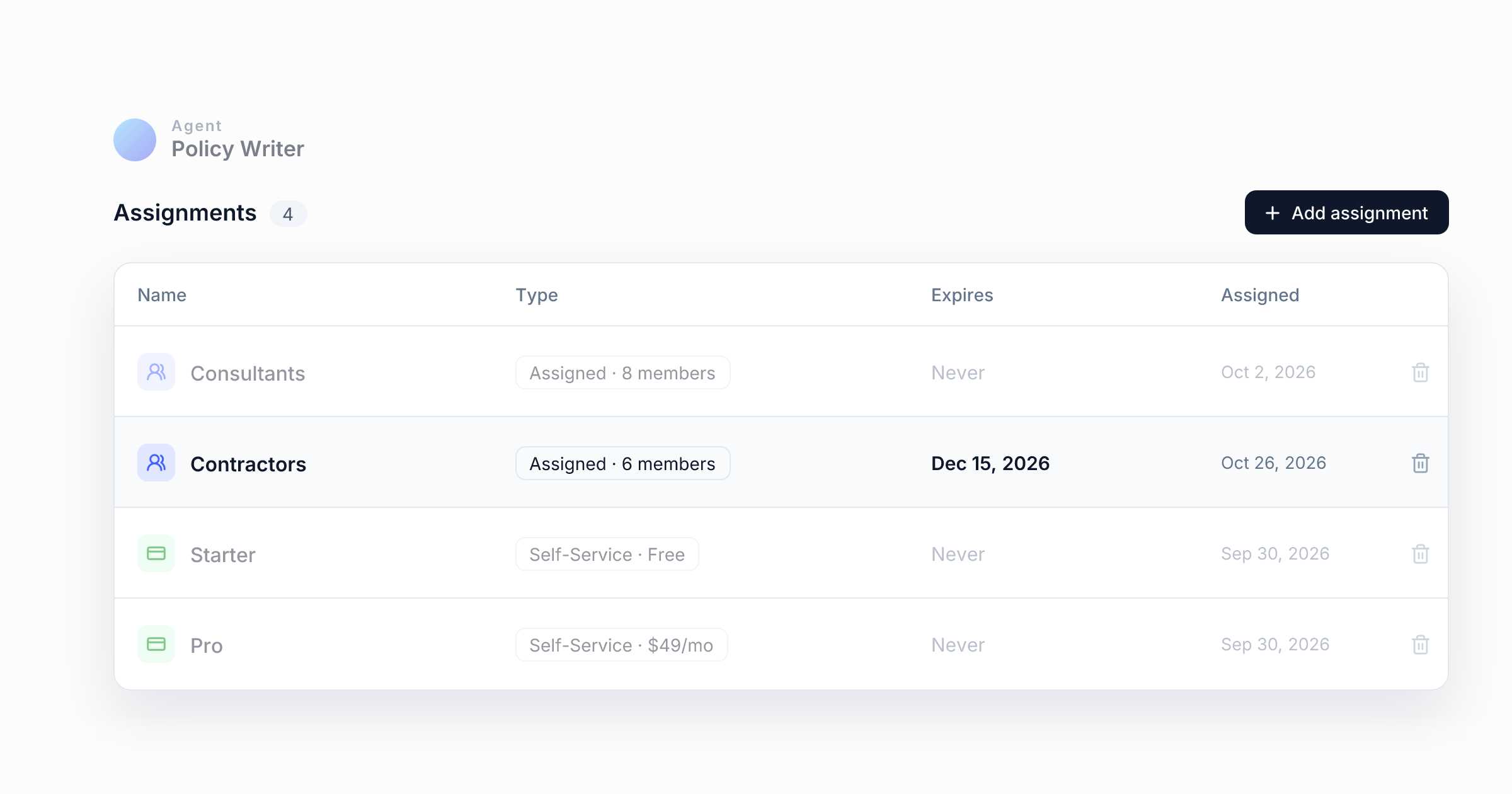
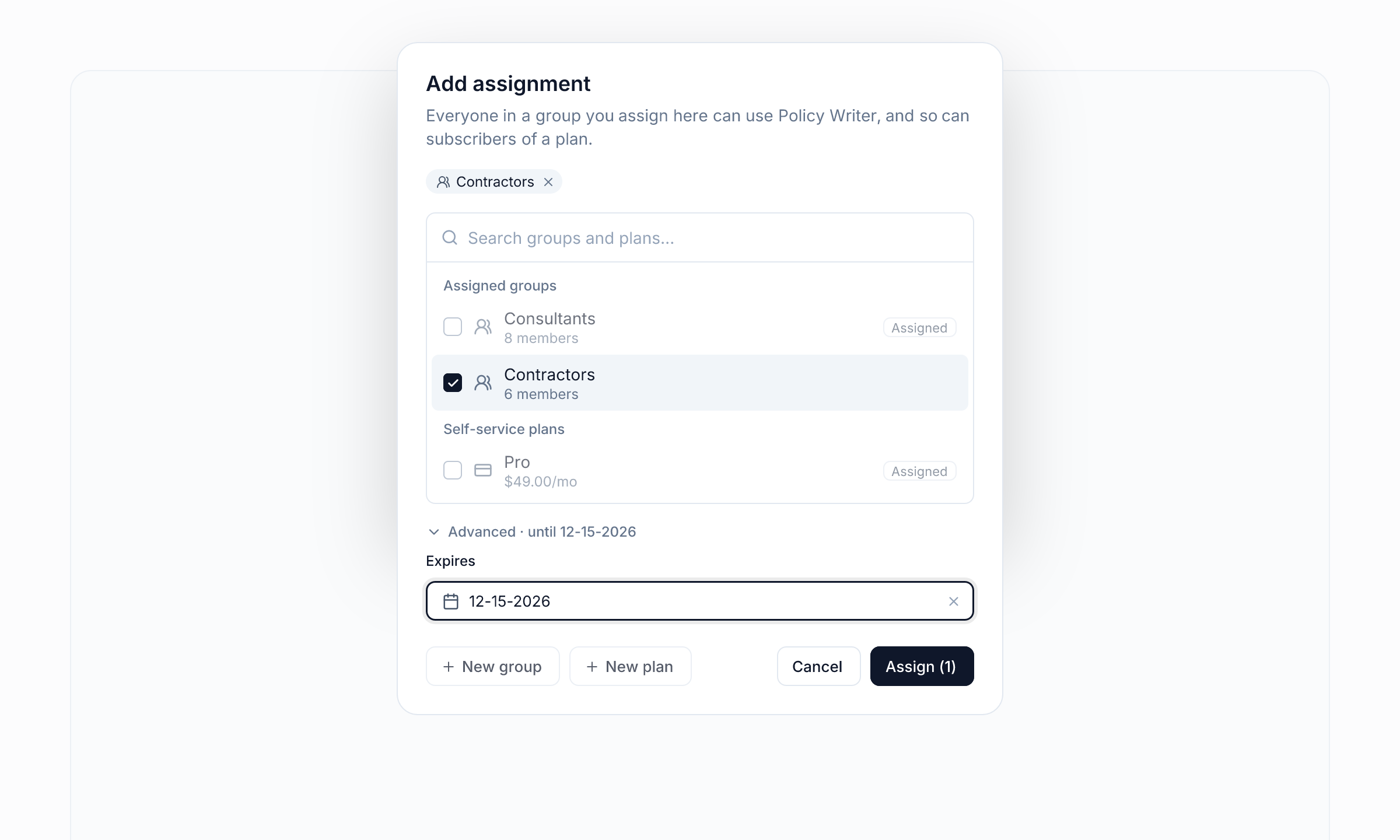
Open each agent the contractors should use and go to Assignments. Click Add assignment, pick Contractors and set Expires to the last day of the engagement.
When that date passes, the agents disappear for the whole group. You don't need a reminder or a cleanup task. If the season runs long, change the date.
5. Choose their door
You have two options:
- The same portal. Add Contractors to Admitted groups on your team portal. Each person only sees what their own group can reach, so contractors and consultants can share a portal without seeing each other's tools.
- A separate portal. Create "Copperleaf Partner Desk" with its own branding, and admit only Contractors. Use this when contractors work under a client's name, or when you want to keep the two completely apart.
In both cases, anyone outside the admitted groups gets Invalid login before a code is sent.
When the engagement ends
- On the end date, the assignments expire and the agents are gone.
- If someone leaves early, remove them from the group. They lose access on their next click.
- To lock someone out right away, revoke their account under Assign › Users. New sign-ins are blocked immediately, and any open session ends within four hours at most (in practice, on their next page load).
- Their work stays with you. Conversations happen inside your workspace, not in personal accounts. Every admin action is recorded under Activity › Admin activity.
Why this works
Contractor access usually goes wrong in one of two ways. Either it's too broad, with shared logins and every document visible, or it's never turned off. Here contractors get a smaller set of tools, their own budget and a fixed end date, all set up once. Groups, policies, knowledgebases and portals work together, so you don't need a separate tool for each piece.
The whole series
- Answer every customer question from your website
- Sell your expertise as an AI subscription
- Give your team its own AI toolkit
- Give contractors the right tools, only for as long as they need them
- Let customers use your agents inside Claude and ChatGPT, as a paid upgrade